The TP-Link UB500 Plus is a USB Bluetooth adapter for desktop and laptop owners who want to add wireless connectivity to a PC.
This TP-Link USB Bluetooth Adapter review looks at its Bluetooth 5.3 support, adjustable antenna, and Windows setup requirements.
TP-Link UB500 Plus Review Summary
The quick verdict
1,000+ ratings
Read Amazon ReviewsTP-Link UB500 Plus
A practical fit for Windows PC owners who want Bluetooth 5.3 support and an adjustable antenna for flexible placement.
- Bluetooth 5.3 support with EDR technology.
- Backward compatible with Bluetooth versions 4.2, 4.0, 3.0, 2.1, 2.0, and 1.1.
- Bluetooth Low Energy support.
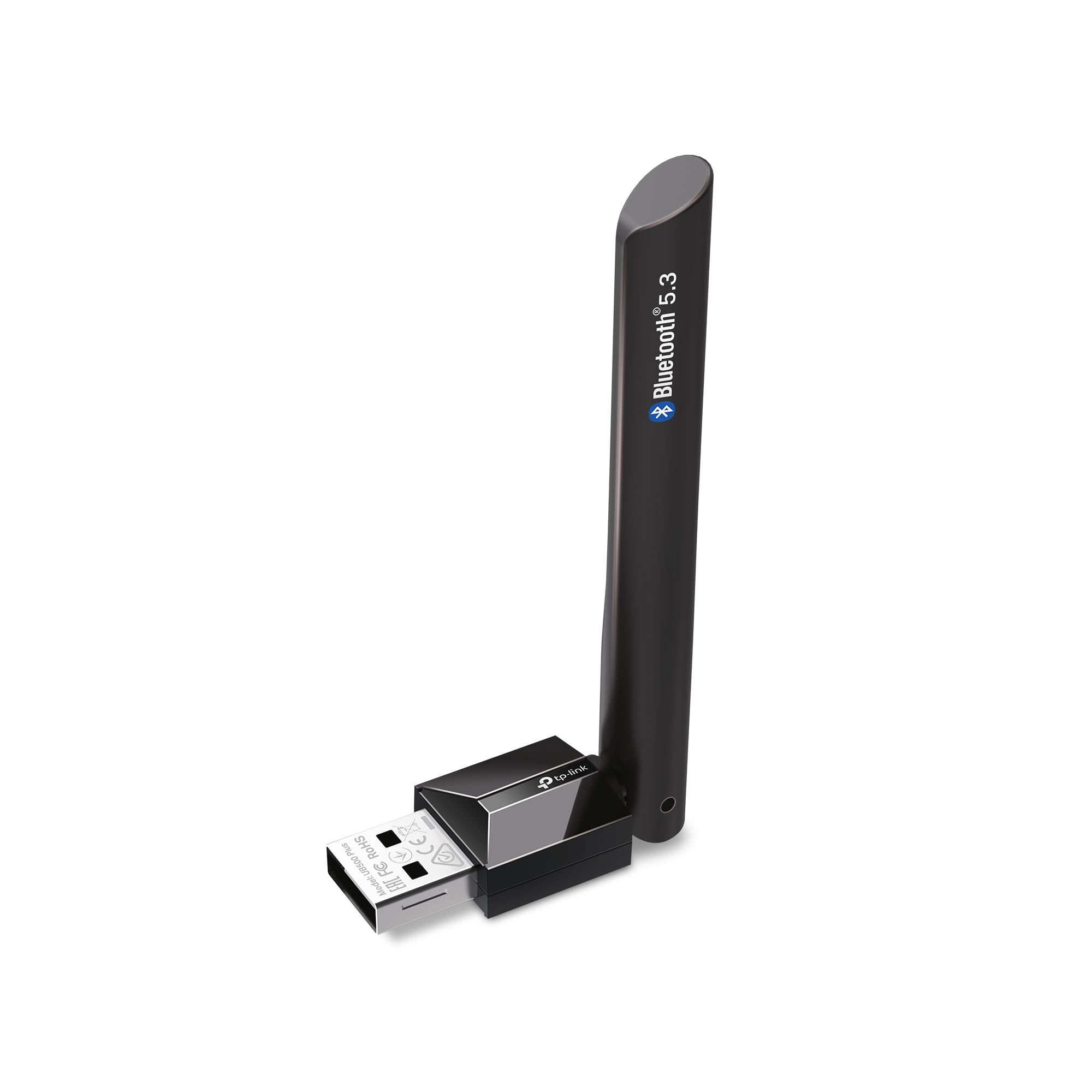
- Adjustable multidirectional antenna that can be rotated to change its position.

Pros
- Supports Bluetooth 5.3 and a broad set of earlier Bluetooth versions.
- Adjustable antenna offers flexibility when positioning the adapter.
Consider before buying
- Windows 7 requires a separate driver download.
- Setup guidance is Windows-specific; buyers using another operating system should confirm compatibility before choosing it.
Read the full review summary
The UB500 Plus combines Bluetooth 5.3 with backward compatibility for several earlier Bluetooth versions, plus EDR and Bluetooth Low Energy support.
Its adjustable, multidirectional antenna gives you some control over its orientation, which may be useful when the USB port or computer is tucked behind a desk.
It is best suited to Windows users who want a compact PC add-on for compatible peripherals and who can use a USB Type-A port.
Windows 8.1, 10, and 11 are described as plug-and-play when the computer has an internet connection; Windows 7 requires a driver download, so setup is less immediate on that system.
The buying factors
TP-Link UB500 Plus Scorecard
Editorial scores reflect listed features and buyer fit; they are not laboratory measurements or customer ratings.
Bluetooth version support
Bluetooth 5.3 support and compatibility with listed earlier versions make it useful for pairing across a range of device generations.
Antenna flexibility
The adjustable multidirectional antenna can be rotated to suit the adapter's position and surrounding setup.
Windows setup
Plug-and-play support is described for Windows 8.1, 10, and 11 with internet access, while Windows 7 requires a driver.
Efficiency features
EDR and Bluetooth Low Energy support address data-rate and power-consumption considerations, though the description provides no measured results.
Compatibility range
Backward compatibility spans several Bluetooth versions, but buyers should still confirm that their operating system and intended devices are suitable.
Placement flexibility
An adjustable antenna is a useful design feature for different PC positions, although actual reception depends on the surrounding environment.
Key Features and Specifications of TP-Link UB500 Plus
- Bluetooth 5.3 support with EDR technology.
- Backward compatible with Bluetooth versions 4.2, 4.0, 3.0, 2.1, 2.0, and 1.1.
- Bluetooth Low Energy support.
- Adjustable multidirectional antenna that can be rotated to change its position.
- Plug-and-play setup described for Windows 8.1, 10, and 11, with an internet connection.
- Windows 7 support requires a driver download.
Pros and Cons of TP-Link UB500 Plus
Pros
- Supports Bluetooth 5.3 and a broad set of earlier Bluetooth versions.
- Adjustable antenna offers flexibility when positioning the adapter.
- Supports both EDR and Bluetooth Low Energy.
- Plug-and-play setup is available for several Windows versions when connected to the internet.
Consider before buying
- Windows 7 requires a separate driver download.
- Setup guidance is Windows-specific; buyers using another operating system should confirm compatibility before choosing it.
- The description gives no adapter dimensions or USB-port clearance details, so check that its antenna and position will suit a crowded port area.
Who Should Buy TP-Link UB500 Plus?
Good fit
Consider the UB500 Plus if your Windows desktop or laptop needs Bluetooth connectivity and you want support for Bluetooth 5.3 alongside older versions.
It can suit a mixed setup with newer and older peripherals, provided those devices are compatible with your operating system and intended use.
The adjustable antenna is a practical reason to consider this model if the computer sits under a desk or its USB port faces an awkward direction.
You can rotate the antenna to suit the setup, though placement alone cannot guarantee a particular connection range or quality.
For Windows 8.1, 10, or 11, plan to have an internet connection available during initial setup. If you use Windows 7, make sure you are comfortable downloading and installing the required driver before relying on the adapter.
Who should skip it
Skip this model if you need a confirmed solution for an operating system other than the listed Windows versions. Check compatibility with your exact PC and intended Bluetooth devices first.
Consider another form factor if the computer's available USB port is in a tightly packed area and you cannot accommodate an adapter with an adjustable antenna. Check the physical layout before buying.
TP-Link UB500 Plus: What Its Design Means for PC Buyers
Bluetooth 5.3 and backward compatibility
Bluetooth 5.3 support gives the adapter a current version among its listed features, while backward compatibility covers several older generations.
That breadth can help when pairing a PC with devices from different release periods, but compatibility still depends on each device and its operating system.
An antenna you can reposition
The multidirectional antenna rotates, letting you orient it differently based on where the PC and USB port sit.
This offers more placement control than a fixed orientation, but the description does not establish a specific range in a buyer's room. Treat the antenna as an adjustment option, not a guarantee of stronger reception.
EDR and Bluetooth Low Energy
EDR and Bluetooth Low Energy address different design priorities: data transfer rate and power consumption.
Their inclusion makes the adapter relevant to buyers considering a mix of devices and usage patterns, but there are no measured speed or efficiency results here to predict how it will perform in a particular setup.
Windows setup expectations
The setup path depends on the Windows version. Windows 8.1, 10, and 11 are described as plug-and-play when the computer is online, while Windows 7 requires a driver download.
Confirm your OS version and ability to complete that setup before purchase.
Alternatives to TP-Link UB500 Plus
One useful alternative is included; compare its version support and physical form with the features you need.
Bluetooth Network Adapters alternative
3,000+ ratings
Read Amazon ReviewsSABRENT BT-UB40 USB Bluetooth 4.0 Micro Adapter
Choose the TP-Link if Bluetooth 5.3 support and antenna adjustability are priorities.
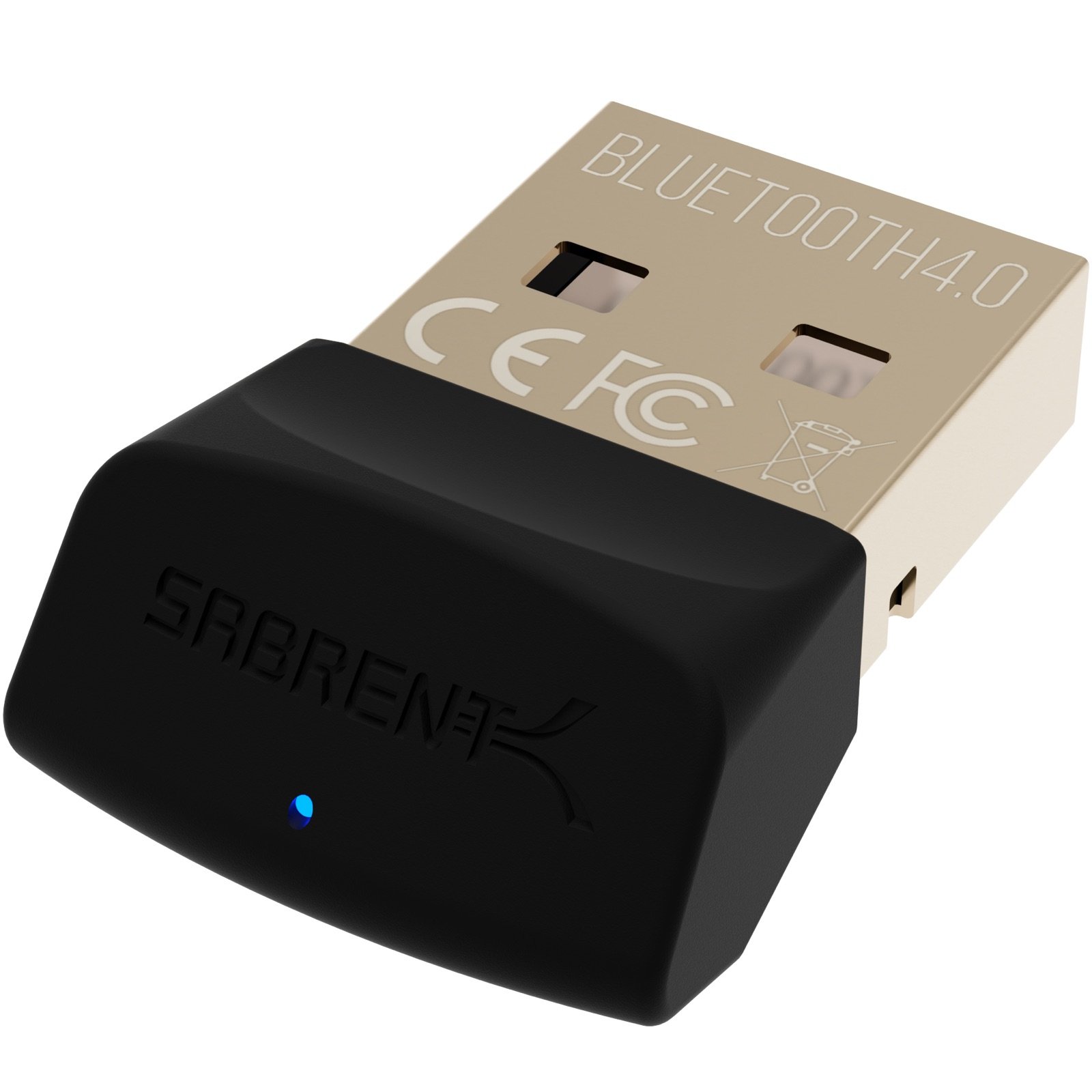
The SABRENT is a relevant alternative if Bluetooth 4.0 support and a micro-adapter form are a better match for your setup; confirm its fit and compatibility for your devices.
- The SABRENT BT-UB40 is a Bluetooth 4.0 Class 2 micro adapter with low-energy technology and compatibility with Bluetooth 3.0, 2.1, 2.0, and 1.1.
- Its listed uses include connecting a PC with a Bluetooth headset or linking a laptop and cellular phone.
- The TP-Link UB500 Plus supports Bluetooth 5.3, multiple older versions, EDR, Bluetooth Low Energy, and an adjustable antenna.
Is TP-Link UB500 Plus Worth It?
The TP-Link UB500 Plus is worth considering for Windows PC owners who want Bluetooth 5.3 support, compatibility with several older versions, and an adjustable antenna.
Its appeal is the combination of those features with plug-and-play setup on Windows 8.1, 10, and 11 when the computer is online.
Check your operating system, USB-port layout, and intended devices before buying. Windows 7 needs a driver download, and the adjustable antenna offers placement flexibility without guaranteeing a particular connection result.
Your review at a glance
1,000+ ratings
Read Amazon ReviewsTP-Link UB500 Plus
A practical fit for Windows PC owners who want Bluetooth 5.3 support and an adjustable antenna for flexible placement.
- Bluetooth 5.3 support with EDR technology.
- Backward compatible with Bluetooth versions 4.2, 4.0, 3.0, 2.1, 2.0, and 1.1.
- Bluetooth Low Energy support.
- Adjustable multidirectional antenna that can be rotated to change its position.